
















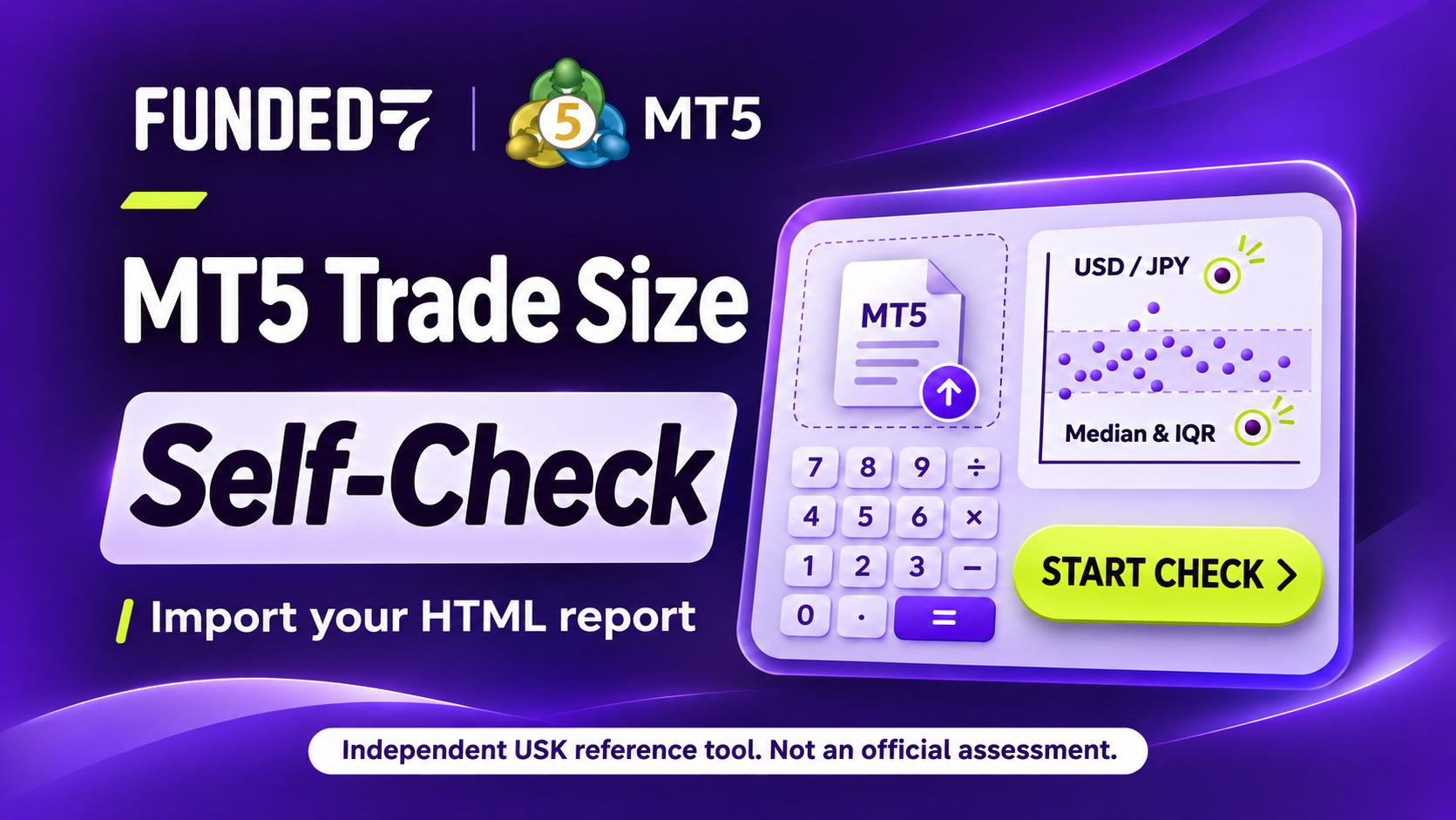
How do your trades look when compared by notional value?
Are any trades much larger than your usual size? Compare their notional values using your MT5 HTML report. Choose HTML, then press to calculate. Your history and account information are not sent or saved. Open the diagnostic tool
An independent USK self-review tool
This is an independent tool created by USK. It is not provided, reviewed or approved by Funded7. Results are for reference only. Funded7’s official review is final.
This is not an official or approved tool and does not guarantee passing an assessment or complying with the rules. Questions about the tool should go to USK (Japanese contact form), not Funded7 support.
1. What the tool does: compare by notional value
The main function is a notional-value comparison. Each closed position loaded from the Positions list of your MT5 HTML report (or entered as CSV) is converted to USD or JPY notional value with this formula (supplementary six-column CSV stays USD-only):
Notional (BASE) = lots × price × contract size × BASE per 1 QUOTE
For an HTML report, this “price” is the position’s opening price (the closing price is not used). For CSV, the price you write is used as it is.
Then, over all the records you entered, pooled as one dataset, the tool computes Type 7 quartiles and takes the smaller of the IQR upper limit (Q3 + 1.5 × IQR) and the Median cap (median × 2.5) as the “adopted threshold”, and counts how many records exceed it.
What it shows:
- The adopted threshold, the largest notional and the number of records above the threshold
- Q1, median, Q3 and IQR, with the two limits side by side
- The notional of each record and its difference from the threshold
What it does not do:
- Reproduce an official review by Funded7 or any other prop firm, or judge pass/fail or prize eligibility
- Suggest a safe or recommended lot size (it produces no such output)
- Verify whether specification candidates apply to your account and trading period, or whether the selected FX method is suitable (you must confirm these yourself)
Not an official verdict
It does not reproduce how Funded7’s Risk Team treats Qualifying Trades, Trade Clusters or Notional Value. Being below the threshold is not a guarantee of rule compliance.
The official Rule 1A and the notional-value logic are explained in the original guide. That guide is currently available in Japanese only.
 📄 Original article (Japanese only)
 Funded7 Funded7 Complete Guide: IQR, the 30-Second Rules, Qualifying Trades and Payouts The original Funded7 complete guide covering Rule 1A, median / IQR and notional value. It is written in Japanese. Open the original guide (Japanese) →
2. Compare notional values
Choose HTML → review settings → calculate. See the headline count first, then open only the numbers you want to explore.
The default is one closed Positions row per record; you can switch to sums of continuous holdings on the same symbol and side. Standard FX is the equal-weight average of published business-day rates within the 14 calendar days immediately preceding the diagnosis. This estimates values at recent average rates, not at each historical opening time. Supplementary six-column CSV remains USD-only.
USK TOOLS · VIDEO GUIDE · 3:48
How to use the self-diagnostic tool
A 3-minute 48-second walkthrough: prepare the HTML report, check the settings and read the sample results.
Japanese explanation first, followed by the same walkthrough in English from 2:14, with on-screen captions. Open the video
The screens are explanatory samples. Some colours differ from the current interface. The MT5 save dialog is not shown; follow the written export steps in the diagnostic article.
This is an independent USK tool, not provided, reviewed or approved by Funded7. Results are for reference, not an official assessment. Tool questions: contact USK (Japanese form)
Music: “Clear Skies” by Scott Buckley · CC BY 4.0
Edited and mixed with narration for this walkthrough.
How to save your MT5 HTML report
How to save the MT5 HTML report (Positions list)
- Open the MT5 History.
- Right-click the list and choose the period (All history, Last 3 months, Last month or Custom period; for a custom period, enter the start and end dates).
- Switch the list to the Positions view.
- Right-click again, choose “Report” then “HTML (Internet Explorer)”, and save the
.htm/.htmlfile.
Menu names and their order differ a little between MT5 versions and languages. What is read is closed history, not the positions you hold right now. The period you choose changes the result, so decide the period yourself. Then pick the saved file in the tool below.
Trade size diagnostic tool
Import an HTML report to compare your trade sizes
This is an independent tool created by USK. It is not provided, reviewed or approved by Funded7. Results are for reference only. Funded7's official review is final.
Questions about this tool should go to USK, not Funded7 support. Contact USK (Japanese form)
How to use this tool
What you enter is calculated only inside your browser and is not sent or stored. Leaving the page or pressing Reset clears it.
Load an MT5 HTML report
Choose your saved MT5 HTML file. It will be read automatically.
(no file selected)
This is a SYNTHETIC sample. SAMPLE_A / B are fictional symbols, and the Position IDs, times and prices are all made up. It is not a real account, report or contract specification. The button calculates all 10 records with fixed fictional assumptions. Real-account confirmation boxes are not changed.
How to save HTML, supported history and calculation details
Load the HTML file you saved from your MT5 History with the Positions list view. Each closed position row in the report’s “Positions” list becomes one record. The Orders and Deals tables are not used.
Record unit: one closed Positions row = one record. Partial fills, scale-ins, partial closes and netting reversals are not reconstructed: whatever the report lists as one row is one record. A record is not a completed trade, an order, an episode, an official qualifying trade or maximum simultaneous exposure.
How to save: open the MT5 History, right-click and choose the period (All history, Last 3 months, Last month or Custom period), switch the list to the Positions view, then right-click and choose “Report” then “HTML (Internet Explorer)” to save. Menu names differ a little between versions and languages. This covers closed history, not the positions you hold right now. Which period and which trades you include is your own choice and responsibility.
Files up to about 10 MB and 5 million decoded characters are accepted. Anything larger is rejected as a whole, never truncated. The HTML is processed only as text; it is never opened as a page and no images or other resources are loaded.
The formula
The formula
- Notional (USD / JPY base) = lots × opening price × contract size × BASE per 1 QUOTE (the selected FX method). The supplementary six-column CSV stays USD-only.
- Quartiles use Type 7 (the same as Excel’s QUARTILE.INC). Q1, median, Q3 and IQR (Q3 − Q1) are computed over all the records you loaded, pooled as one dataset.
- IQR upper limit = Q3 + 1.5 × IQR / Median cap = median × 2.5 / adopted threshold = the smaller one (shown as the Median cap when they are equal)
- A record “exceeds” the threshold only when its notional is greater than the threshold (a value exactly equal is inside).
Paste HTML instead (if you cannot use a file)
Review the settings
What was loaded
Funded7 reference values are selected by default. This does not identify your account’s firm. For another firm, switch to specifications you checked in your own MT5 account.
Reference scope, sources and unverified assumptions
Uses current public specifications checked November 10, 2026. All 73 official symbols, including 15 indices, have reference candidates. GOLD maps to XAUUSD, WTI to USOIL and SILVER to XAGUSD. No other alias or suffix is inferred. Calculation mode, actual account settings and historical applicability are not verified. Any unsupported symbol withholds the whole comparison.
Official contract-size table / Official gold / silver: 100 / 5,000 troy ounces / Official commodity and USD-price calculation / Official index quote currencies (profit/loss calculator)
FX uses the most recent two-week average
A reference estimate at recent average rates, not the exact historical value of each trade.
FX dates, sources and retrieval status
Each published day in the 14-calendar-day window ending on the diagnosis date (UTC) has equal weight. These are not the historical rates at each entry, so results are approximate.
FX requests use a common date window and all currencies. No HTML, account information, trade dates, symbols, volumes or prices are sent.
Required rates are retrieved when you press Calculate. Missing rates withhold the whole comparison.
Press to calculate
To use these inputs and rates, press the button below. After changing a setting, press it again to recalculate.
Details: symbol specifications, opening-time FX and imported rows
For a normal estimate, select current Funded7 public specifications above. Editing a value switches to manual input and requires verification. Historical specifications and opening-time FX must also be checked here.
Check or edit contract sizes and quote currencies
Selecting official candidates fills the values available from that source. Check blank or differing values against Specifications in your own MT5 account.
- In MT5, right-click the symbol in Market Watch and open “Specification”. It shows the “Contract size” and the profit currency, among other things. Menu names can differ between versions and languages.
- Values can differ by broker, account type and symbol name (suffixes such as .r). Do not reuse examples from this article, or values for another symbol or company; check the same symbol on your own account.
- The current-public-specification estimate assumes the linear formula. Manual input and detailed mode require confirmation that this formula applies. When quote and base differ, normal mode uses the latest two-week average and detailed mode uses confirmed opening-time FX. Unknown values or missing rows are never silently dropped.
Positions per symbol
Opening-time FX for every record
First enter contract sizes and quote currencies, and confirm factor 1 where the currencies match. Then create the template. It includes every record, beyond the 100-row preview. Fill basePerQuote and source on every different-currency row.
basePerQuote means base currency per 1 quote currency. Fictional example: to convert USD to JPY at 150 JPY per 1 USD, enter 150 (not 1/150). The tool cannot detect an inverted rate. Do not substitute a current rate or a single rate for the whole history.
Report timestamps do not include an implied time zone. Match the broker’s displayed time with the FX source’s time and time zone yourself. The tool neither fetches FX nor verifies evidence.
Exactly 9 CSV columns. Do not edit context, row, positionId, openTime, symbol, quoteCurrency or baseCurrency. source is your short evidence note for that opening-time rate and time matching (1–160 characters; no commas, quotes or newlines). identity is only for explicitly confirmed same-currency 1. Rates allow 6 integer and 10 decimal digits, no signs, exponents or separators. Limits: 20,000 records / 5 million characters. Missing, duplicate or mismatched rows withhold the entire comparison.
A new report, reimport, base / quote change or identity-factor change clears this map. Switching Individual / Sections or editing a contract size keeps the map but clears results and confirmations.
Check the extracted positions
Supplement: six-column CSV (USD comparison only; individual only)
Supplementary input for separate records, one per line. usdPerQuote means USD per 1 quote at that execution time, never a JPY factor. This path always calculates in USD, independently of the HTML basis. Non-USD quotes also work in HTML for individual and section comparisons with every entry’s FX supplied.
CSV columns (these 6, in this order, header required)
symbol- Symbol name (letters, digits and . _ # - only, up to 40 characters). Example: SAMPLE_A
lots- Lots (positive decimal, up to 7 integer and 8 decimal digits). Example: 0.10
price- Execution price of that trade (positive decimal, up to 12 integer and 10 decimal digits). Example: 2000.5
contractSize- Units per lot (contract size), a value you checked yourself (up to 9 integer and 8 decimal digits)
quoteCurrency- The currency the price is quoted in (3–6 capital letters). Example: USD, EUR
usdPerQuote- USD per 1 unit of the quote currency at execution time. For USD-quoted products write exactly 1. For other currencies, a factor you looked up yourself (up to 6 integer and 10 decimal digits)
CSV input rules (if any row breaks them, the tool shows the row and does not calculate)
- Plain decimal notation only (no sign, exponent, thousands separator or spaces inside a number). Zero and negative values are rejected.
- Quotes, semicolons, tabs and comment lines are not supported. Blank lines are ignored.
- There are no defaults for contract size, currency or FX. The tool holds no BTC- or Gold-style defaults.
- Limits: up to 5 million characters per input and 20,000 records. Anything larger is rejected, never truncated.
- For products quoted in a currency other than USD, write a factor per record that you prepared yourself. If the exchange rate differs by date in your history, enter the factor for each trade’s time, one row at a time. The tool does not fetch exchange rates and cannot check that your factor is correct.
- Contracts whose notional is not proportional to price (for example ones defined through an inverse price) cannot be represented by this linear formula, so they are not supported. Ordinary currency pairs quoted in a currency other than USD can still be handled in CSV by entering the USD factor at execution time for each record.
Diagnostic results
No calculation yet. Load your HTML report, review the settings, then calculate to see your results here. You can also try a fictional sample.
- SAMPLE_A / SAMPLE_B / SAMPLE_C are fictional symbols.
- SAMPLE_A: contract size 100, quoted in USD, USD per quote 1.
- SAMPLE_B: contract size 100000, quoted in USD, USD per quote 1.
- SAMPLE_C: contract size 10, quoted in EUR, USD per EUR 1.2 (a fictional rate).
- SYNTHETIC Positions sample: SAMPLE_A / SAMPLE_B are fictional symbols; the positions, times and prices are made up.
- Fixed HTML-sample assumptions only: SAMPLE_A contract size 100, quoted in USD, conversion factor 1.
- Fixed HTML-sample assumptions only: SAMPLE_B contract size 100000, quoted in USD, conversion factor 1.
- The closing prices, the hidden cells and the Orders / Deals tables of the sample carry decoy numbers that are never used.
3. How to enter data, and what you must check yourself
Current Funded7 public specifications, two-week average FX and separate-entry comparison are selected by default. Load HTML, review the settings and press “Calculate with these settings”. This does not identify your account’s firm. For another firm, switch to your own checked specifications. Calculation mode, actual account settings and historical applicability remain unverified; no unchecked specification is marked as verified.
Current reference candidates cover all 73 official symbols, including 15 indices. Index contract sizes come from the official FAQ and quote currencies from the official calculators. Only GOLD → XAUUSD, WTI → USOIL and SILVER → XAGUSD are explicit aliases, shown on screen. No other alias, suffix or case change is inferred. Editing a value exits the public estimate and requires verification. Detailed opening-time FX also requires checking both specifications and rates.
The flow with an HTML report
- Choose the Positions HTML file saved as described in chapter 2. Closed positions are loaded automatically. Positions are not reconstructed from Orders or Deals.
- Use JPY for a yen-denominated account or USD for a dollar-denominated account. An explicit account-currency field initializes this choice when readable; otherwise, choose it yourself. This is separate from the currency in which a product is priced.
- Current Funded7 reference specifications are filled in by default. For another firm or your own values, switch to manual input and verify the specifications in Details. Entries are compared separately unless you choose to combine them until fully closed.
- Press “Calculate with these settings”. Required public rates are retrieved before all records are compared. Missing data or a retrieval failure withholds the whole result. Press again after changing a setting.
Default individual mode: one closed Positions row = one record
One record is one “closed position row” of the Positions list. The tool does not reconstruct partial fills, scale-ins, partial closes or netting reversals: whatever the report lists as one row becomes one record. A record is not a completed trade, an order, an episode, an official qualifying trade or maximum simultaneous exposure. How the report lists positions changes the quartiles and the threshold.
Split entries recorded as separate rows in the HTML are compared separately, using each row’s lots and opening price. In the default individual mode, rows are not summed merely because their symbol or time is similar. If netting or the export has already combined them, the original pieces cannot be recovered. Profit/loss aggregation is outside this tool.
The separate-entry default draws on guidance USK received from support in an individual inquiry. It is not presented as a formally published official rule or a reproduction of an official assessment.
Standard comparison: an estimate using the recent two-week average FX rate
USD/JPY and other rates change daily. Standard mode equally weights the published business-day rates within the latest 14 calendar days at diagnosis time. The screen shows the period, observation count and update time. This is not a reconstruction of each trade’s historical opening-time value. Missing or unavailable required rates withhold comparison; no current spot or fixed rate fills the gap.
The comparison base and the product’s quote currency are different. A USD-priced product still needs USD-to-JPY conversion on a JPY account. The factor is BASE per 1 QUOTE: at a fictional 150 yen per dollar, USD-to-JPY is 150 and the reverse is its reciprocal. Identical currencies use 1. Standard averages are calculated after deriving each daily conversion factor, so the opposite-direction average is not necessarily the reciprocal.
Details: compare using each entry’s opening-time FX
To align values with historical opening times, use the all-row FX template in detailed mode. It covers every imported record, not just the 100-row preview. Edit basePerQuote and source; keep context, row, Position ID, opening time, symbol and currencies unchanged.
Confirm each opening-time factor and source. Do not substitute recent average rates in this mode. Match the report and evidence time zones too. Each source note is 1–160 characters without commas, quotes or newlines. A missing, invalid, duplicate or stale row withholds the whole comparison. After reimporting or changing the base or other settings, follow the displayed missing requirements to reconfirm.
When you want to combine entries made in several parts
With the default Compare each entry separately, three 0.1-lot gold buys recorded on separate HTML rows are compared as three records: 0.1, 0.1 and 0.1.
Combine entries until fully closed combines the same symbol and buy/sell direction while holdings continue from the first entry through full closure. In this example, one record covers the three buys totaling 0.3 lots. An additional entry can join at a different time while holdings continue. Buying again after every position has closed starts a new group. Different symbols and buy/sell directions are never combined.
The lot figures above illustrate grouping, not the comparison metric. The tool adds the individual entry notionals, each calculated from its own opening price, volume and contract size, using the selected FX method. A later entry after a partial close is still included cumulatively when it is represented as a separate history row. This is not peak simultaneous notional or total lots multiplied by one price. Each sum becomes one observation for the same IQR, median and threshold formula. Profit/loss is not aggregated.
After switching, additionally confirm that the history contains every group from its first entry through full closure, omits no earlier or still-open holding, and represents entries separately. The tool cannot independently verify completeness. It does not reconstruct entries already merged by netting or positions absent from the history.
- If full closure and the next opening share the same second, combined comparison is withheld because their order is unknown. Individual comparison remains available.
- A row opening and closing in the same second is also withheld when combining entries.
- A partial close and additional entry at the same second can remain in one group when another position is still held.
- The six-column CSV has no side or opening/closing times, so CSV remains individual-only.
Results distinguish imported position rows from the resulting group count. “Source row numbers” in the grouped-entry table refer to the numbered import preview above. Grouping changes both the distribution and the observation count; do not compare counts as though the threshold stayed unchanged. Grouping is an additional check of combined size. It changes the median and IQR too, so it does not always produce a stricter result. Neither method reproduces an official assessment or guarantees compliance.
Where do I find the contract size?
In MT5, right-click the symbol in Market Watch and open “Specification”. It shows the contract size (“Contract size”), the profit currency and more. Menu names can differ a little between versions and languages.
- Values can differ by broker, account type and symbol name (suffixes such as
.r). Do not use examples from this article, or values for another symbol or another company; check the same symbol on your own account. The official table below is a reference, not proof of applicability to your account or past trades. - The public estimate assumes the linear formula; manual input and detailed mode require you to confirm it applies:
lots × price × contract size. If you are unsure about a symbol, ask your broker. - The price is read from the opening price column of the Positions list. The closing price and the prices in other tables, such as Orders or Deals, are not used in the calculation.
- Column roles are decided by the fixed order of the header row (Time, Position, Symbol, Type, Volume, Price, S / L, T / P, Time, Price, Commission, Swap, Profit). Time and Price each appear twice, so a header in a different order is refused rather than guessed.
Funded7 contract sizes at a glance
The 73 symbols in the official public table are grouped into 10 rows by product type and contract size. Numbers below reproduce the published values; they do not establish the specifications of your account.
| Type / symbols | Contract size | Min–max lots |
|---|---|---|
| FX: major pairsEURUSDGBPUSDUSDCADAUDUSDNZDUSDUSDCHFUSDJPY | 100,000 | 0.01–100 |
| FX: minor pairsAUDCADAUDCHFAUDJPYAUDNZDCADCHFCADJPYCHFJPYEURAUDEURCADEURCHFEURGBPEURJPYEURNZDGBPAUDGBPCADGBPCHFGBPJPYGBPNZDNZDCADNZDCHFNZDJPY | 100,000 | 0.01–100 |
| FX: exotic pairsAUDSGDEURCZKEURHKDEURNOKEURPLNEURSEKSGDJPYUSDCNHUSDCZKUSDHKDUSDHUFUSDMXNUSDNOKUSDPLNUSDSEKUSDSGDUSDZAR | 100,000 | 0.01–100 |
| IndicesAUS200DAX40ESX50ESP35FRA40ITA40SWI20UK100NAS100US30SP500US2000 | 1 | 0.1–100 |
| Stock and dollar indicesHK50JPN225USDIDX | 100 | 0.1–100 |
| Gold, palladium and platinumXAUUSDXPDUSDXPTUSD | 100 | 0.01–20 |
| SilverXAGUSD | 5,000 | 0.01–20 |
| OilUSOILUKOIL | 100 | 0.1–100 |
| Crypto (except XRP)BTCUSDETHUSDLTCUSDSOLUSDBNBUSDBCHUSD | 1 | 0.01–100 |
| Crypto (XRP)XRPUSD | 1,000 | 0.1–100 |
The table alone does not state every unit. The official pip-value explanation separately identifies gold as 100 troy ounces and silver as 5,000 troy ounces. The official margin calculator lists WTI and Brent under commodities and describes commodity prices in USD. These sources support current reference candidates of 100 / USD for USOIL and UKOIL; their contract-size unit is not asserted here. All 15 indices now have exact-name reference candidates: contract sizes come from the FAQ, and quote currencies from the official calculators (checked November 10, 2026, 12:07 UTC). Equal contract-size numbers do not imply equal units or calculation modes.
This public table provides no effective-from date, historical specifications or individual account settings. Some symbols may not be available on every platform. Selecting the current-specification estimate uses a public-reference assumption, not verified account or historical settings. GOLD → XAUUSD, WTI → USOIL and SILVER → XAGUSD are the only aliases. Manual or detailed calculations still require checking the symbol, calculation mode and applicable period in your own MT5 account.
Sources: Funded7 official contract specifications / Official gold / silver units / Official commodity / USD-price calculation / Official index quote currencies (profit/loss calculator) / MT5 Help: Market Watch / Specification
Report shapes that cannot be loaded
In these cases the tool never uses only part of the report silently. It rejects the whole report and shows the reason.
- The “Positions” heading cannot be pinned down to one, or the column header does not match the 13 supported columns in order
- A Deals-only report (save it again with the Positions view; positions are never built from the Deals table)
- A row with an empty close time and close price (a position still open), a close earlier than the open, a repeated Position ID, an unreadable row or an unsupported type
- The end of the file may be cut off, tables are nested, or position-like rows remain outside the Positions list
- A price or volume is empty, zero, negative, in exponent notation, uses comma decimals or has too many digits
- After import, unknown specifications, currencies, required FX or sources withhold the whole comparison (separate from HTML import)
Even if a report starts mid-history, the tool does not reconstruct positions and does not check that the report covers the whole account. Which period and which trades you include is your own choice and responsibility.
Supplement: six-column CSV (USD comparison only; individual only)
Open “Supplement: six-column CSV” under the tool to paste a CSV with the 6 columns symbol,lots,price,contractSize,quoteCurrency,usdPerQuote, one record per line. You do not have to retype every position of an HTML report into six columns. CSV is supplementary; the HTML report is the main input. Use it for separate records. Its usdPerQuote column is USD-only and never follows the HTML JPY selection.
| Column | Meaning |
|---|---|
| symbol | Symbol name |
| lots | Lots |
| price | Execution price of that trade |
| contractSize | Units per lot (contract size), a value you checked yourself |
| quoteCurrency | The currency the price is quoted in (USD, EUR and so on) |
| usdPerQuote | USD per 1 unit of the quote currency at execution time. For USD-quoted products write 1 |
- For USD-quoted products, always write
1inusdPerQuote. - For products priced in a currency other than USD, look up the factor at execution time yourself and write it per row. The tool does not fetch exchange rates and cannot tell whether the factor is correct. If the rate differs by date in your history, enter the factor for each trade’s time, row by row.
- Numbers must be plain decimals (no sign, exponent or thousands separator). A zero, a negative value or an unreadable row makes the tool show that row and refuse to calculate. It never drops rows silently.
- The limits are 5 million characters and 20,000 records per input. Anything larger is rejected, never truncated.
4. Reading the results with the sample
Press “Try the fictional HTML sample” to display 10 fictional (SYNTHETIC) records calculated in USD, individually, without entering your own data or specifications. SAMPLE_A / B are not real symbols. Position IDs, times, prices and specifications are all made up.
The HTML sample uses fixed fictional contract sizes of 100 for SAMPLE_A and 100000 for SAMPLE_B, both USD-quoted with conversion factor 1. It does not use Funded7 specifications or the recent two-week FX average. Closing prices and Orders / Deals values are not used. These assumptions never carry into real-input specifications or confirmation boxes.
“Try the fictional CSV sample” reproduces the same notional distribution. It includes another fictional symbol, SAMPLE_C, and a fixed EUR→USD factor of 1.2, but its 10 notionals and the statistics below are identical.
Fixed example: 10 fictional records / USD / individual comparison. This is not the result of a report you uploaded.
After calculating your own report, “This calculation’s results” appears directly below the large count in the same item/value layout. Different records, currencies or grouping change the quartiles and threshold. Your result is not expected to match this fixed example.
| Item | Fictional sample value (USD) |
|---|---|
| Records | 10 |
| Q1 | 7,375.00 |
| Median | 20,025.00 |
| Q3 | 20,137.50 |
| IQR (Q3 − Q1) | 12,762.50 |
| IQR upper limit (Q3 + 1.5 × IQR) | 39,281.25 |
| Median cap (median × 2.5) | 50,062.50 |
| Adopted threshold (the smaller) | 39,281.25 (IQR upper limit) |
| Largest notional | 101,500.00 |
| Records above the threshold | 2 (40,400.00 and 101,500.00) |
The result shows the current history’s IQR, median, adopted threshold and the number of outlier candidates above it. Before the specifications are supplied, comparison is pending, not free of outliers. With enough records and a nonzero IQR, zero candidates is described as “No outlier candidates were found in this dataset.” This does not guarantee future safety or an acceptable official assessment.
The sample figures above apply to the default individual mode. Combining entries until fully closed can change the observation count, quartiles and threshold.
5. The formula and the two limits
- Quartiles use Type 7, the same method as Excel’s QUARTILE.INC: among n sorted values, the position (n − 1) × p is linearly interpolated (p = 0.25 for Q1, 0.5 for the median, 0.75 for Q3). It works even with a single record, where everything equals that value.
- IQR upper limit: Q3 + 1.5 × IQR. The wider the spread, the higher this limit.
- Median cap: median × 2.5. The smaller the median, the lower this limit.
- Adopted threshold: the smaller of the two. When they are equal, it is shown as the Median cap.
- Above: only when the notional is greater than the threshold. A value exactly equal to it counts as inside.
- Exact arithmetic: numbers are handled as exact decimal strings and compared without rounding. The readable results table shows whole yen for JPY and two decimals for USD; details retain up to six decimal places. Values that look equal after rounding can still exceed the threshold before rounding.
- Few records: with fewer than 5 or 10 records the threshold moves a lot. A prominent warning is shown, and no “stable” or “pass” style judgment is made.
- When the IQR is 0: Q1 and Q3 are equal and the IQR upper limit equals Q3. The tool says so.
This formula is the one used by an earlier standalone tool. It has not been confirmed to be identical to Funded7’s official standard. Check the official numbers, coefficients and conditions in the original guide and on the official site.
6. Important limits
- The current-specification estimate does not verify account or historical settings. Manual input and detailed mode require applicability checks. Standard two-week average FX is approximate, not a historical execution-time valuation. Wrong specifications or currencies produce wrong results.
- Notional value is not margin, a deposit, stop-loss risk or profit/loss. It is the number lots × price × contract size × BASE per 1 QUOTE.
- In the default individual mode, a record is one closed row of the Positions list (one CSV row for CSV input). When combining entries, one observation is the notional sum of a confirmed continuous-holding group. Partial fills, scale-ins, partial closes and netting reversals are not reconstructed. It is also not maximum simultaneous exposure, a trade group (episode), a Trade Cluster or a reconstruction of official qualifying trades. How the report lists positions changes the count and the distribution.
- The period you cover changes the result. Which period and trades you include changes the quartiles and the threshold. Even if a report starts mid-history, the tool does not reconstruct positions or check that the report covers the whole account.
- Contracts whose notional is not proportional to price (for example ones defined through an inverse price) cannot be handled by this linear formula. Ordinary non-USD-quoted currency pairs can be compared when the required conversion rates are available.
- A positive difference from the threshold is not a guarantee of meeting an official standard. No “safe lot” or “recommendation” is shown. Being below the threshold is not a guarantee of rule compliance either.
- Agreement with other products or tools has not been checked. Standard two-week averages and detailed opening-time FX are supported, but exclusion of the latest averages, positions that are still open, and hypothetical lot / count simulation are outside this tool.
- Positions extraction and display have been checked using one user-provided HTML format. This does not guarantee compatibility with every MT5 format. Calculating actual notionals still requires verification of contract specifications, quote currencies and conversion factors. A report in a shape it cannot read is rejected as a whole, with the reason shown.
7. Privacy
- Trade inputs and loaded HTML are processed inside your browser and are not uploaded. Standard mode makes an external request for public FX data, without sending trade history or account numbers.
- The HTML you load is processed only as text. It is never opened as a page, and no images or other resources are loaded.
- This tool does not store your history (for example in localStorage), log it, or send any measurement event containing its contents. Site-wide mechanisms outside this tool, such as general access measurement, are not covered by this statement.
- Pressing Reset, or leaving or closing the page, clears both the input and the results.
8. FAQ
Can this tell me whether I broke a Funded7 rule?
No. It does not reproduce Funded7’s official verdict or the Risk Team’s final decision. It is a reference calculation that neutrally compares the numbers you enter. Comparing with the threshold does not indicate pass/fail or safety.
Will the tool look up contract sizes or exchange rates for me?
For Funded7 accounts, you can select a current-public-specification estimate. Names must match exactly except for the three explicit GOLD, WTI and SILVER aliases. This estimate does not verify account or historical applicability; manual input and detailed mode still require those checks. Standard FX uses the average of published business-day rates within the latest 14 calendar days. Unavailable rates withhold comparison. Historical opening-time rates can be entered in detailed mode.
Can I compute notional values straight from an MT5 HTML report?
Yes, with conditions. Loading an HTML report saved from the MT5 History with the Positions view extracts the closed positions of the Positions list one row at a time (a Deals-only report cannot be read). You then select the current Funded7 public estimate or specifications you checked yourself. The estimate assumes the linear formula; manual and detailed calculations require confirming that it applies. Values are converted to USD or JPY using the selected FX method. Unknown FX or specifications keep comparison pending; pressing Calculate runs the comparison when conditions are met. Unsupported Positions headers, still-open rows or repeated Position IDs reject the whole report.
How do I enter symbols quoted in a currency other than USD?
Standard mode converts to the selected base using recent two-week average FX. Required rates that cannot be retrieved withhold comparison. To compare at historical opening times instead, use the detailed all-row template and enter each opening-time BASE per 1 QUOTE factor and its source note.
Is what I enter sent anywhere?
Trade history and account numbers are neither sent nor stored. Standard mode makes an external request for public FX data. Leaving the page clears both the input and results.
Summary: look at the notional numbers neutrally first
Lining trades up by notional value shows which ones are large compared with your usual trades. This tool presents those numbers as they are: the adopted threshold, the largest value, the number above it and the side-by-side comparison of the two limits.
Positions extraction and display have been checked using one user-provided HTML format. This does not guarantee compatibility with every MT5 format or the correctness of actual notional calculations. You must confirm applicability of specifications and the FX method, and the result is not an official verdict.
📄 Back to the original article (Japanese only) Funded7 Funded7 Complete Guide: IQR, the 30-Second Rules, Qualifying Trades and Payouts The original Funded7 complete guide. It is written in Japanese. Back to the Funded7 guide (Japanese) → Update: November 11, 2026
Clarified that this is an independent USK tool, not provided, reviewed or approved by Funded7, and stated who makes the final decision and handles tool support. Removed Funded7 logos from the tool and clarified that any future purchaser bonus would be USK’s own offer. The calculation method is unchanged.